 Hanki
Tune my PC
Choose Gaming + Performance, Gaming + Quality, Creative work or Low power, review Hanki's plan and apply only the changes you approve.
Tune my PC is for a PC that works but could do more. Say what you want today, and Hanki reads your settings and shows a plan. Choosing a goal changes nothing by itself.
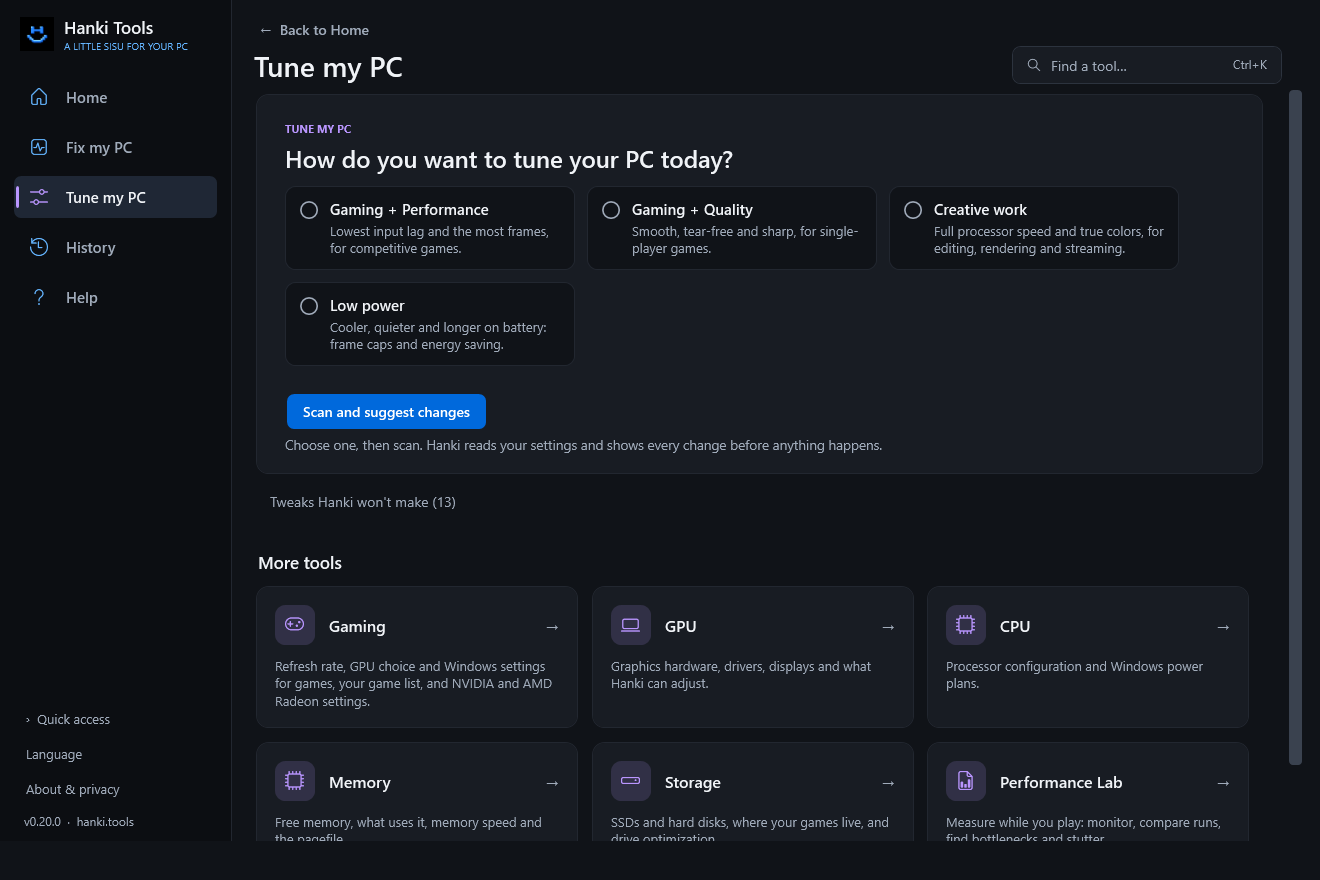
The four choices
| Choice | For |
|---|---|
| Gaming + Performance | Competitive games: lowest input lag, most frames. |
| Gaming + Quality | Single-player games: smooth, tear-free and sharp. |
| Creative work | Editing, rendering and streaming. |
| Low power | Cooler, quieter, longer battery. |
For the gaming choices, Hanki also asks whether your display has G-SYNC or FreeSync, because Windows can't tell it. On NVIDIA, if G-SYNC is already on, Hanki answers for you. If you're not sure, V-Sync and frame caps are left alone.
Read the plan
Hanki reads your display, Windows, mouse, graphics driver, processor, memory and storage settings. The plan has two parts:
- Changes Hanki can make, each shown before and after. Pick the ones you want.
- Steps for you: things no app should change for you, such as BIOS settings (XMP or EXPO), in-game options, a laptop's MUX switch or a driver update.
On a PC that's already tuned, the plan says no changes are needed. That is a valid answer.
Apply and undo
- Select the changes you want and review them.
- Apply. Each change is saved in Recovery first, then checked by reading it back.
- Measure, if you like, with Launch and measure or the Monitor, and keep or undo the change.
A display-mode change, such as a higher refresh rate, has a 15-second keep-or-revert prompt.
What a plan can include
- Highest refresh rate; V-Sync and a frame cap just below the refresh rate when adaptive sync is on
- Game Mode, optimizations for windowed games, variable refresh rate, Game Bar background recording and mouse acceleration
- NVIDIA settings such as Low Latency Mode, and per-game full clocks rather than a global maximum
- AMD Radeon settings such as Anti-Lag, Chill and a frame-rate target (not yet tested on AMD hardware)
- Windows power mode, maximum processor state and, on laptops, Energy saver
- Steps for PCIe lanes, Resizable BAR, memory speed, games on hard disks, TRIM, graphics driver age, network cables, OBS encoders and color signal settings
- Advice for each game from its latest Launch and measure run
Every rule and its sources are listed in Tune my PC: recommendations and sources.
What Tune my PC never does
No overclocking, no disabling security or Defender, no timer, BCDEdit, service, scheduler or network "tweaks", no standby-memory purging, no pagefile removal and no shader-cache clearing. Hanki explains why, in how Hanki decides.
Updated · Found something out of date? Report it on GitHub.