 Hanki
GPU, CPU, memory and storage
What Hanki's GPU, CPU, Memory and Storage pages show: adapters and displays, power plans, memory speed and pagefile, drives, TRIM and DirectStorage.
These pages show your hardware and the settings around it. They're read-only unless you choose a reviewed change, and every change goes to Recovery first.
GPU
- Graphics adapters in Windows' high-performance order, drivers and video memory
- Displays, modes, refresh rates and HDR
- PCIe lane width and Resizable BAR. A desktop card running on x4 lanes or fewer is flagged in Fix my PC.
- Per-app GPU choice (for example, keeping a game off the integrated GPU of a laptop) can be applied after review.
CPU
Processor shows effective clock, per-thread load and processor limits. Power plans shows Windows power plans and the power mode; changes such as the power mode or maximum processor state are reviewed and recorded in Recovery.
Memory
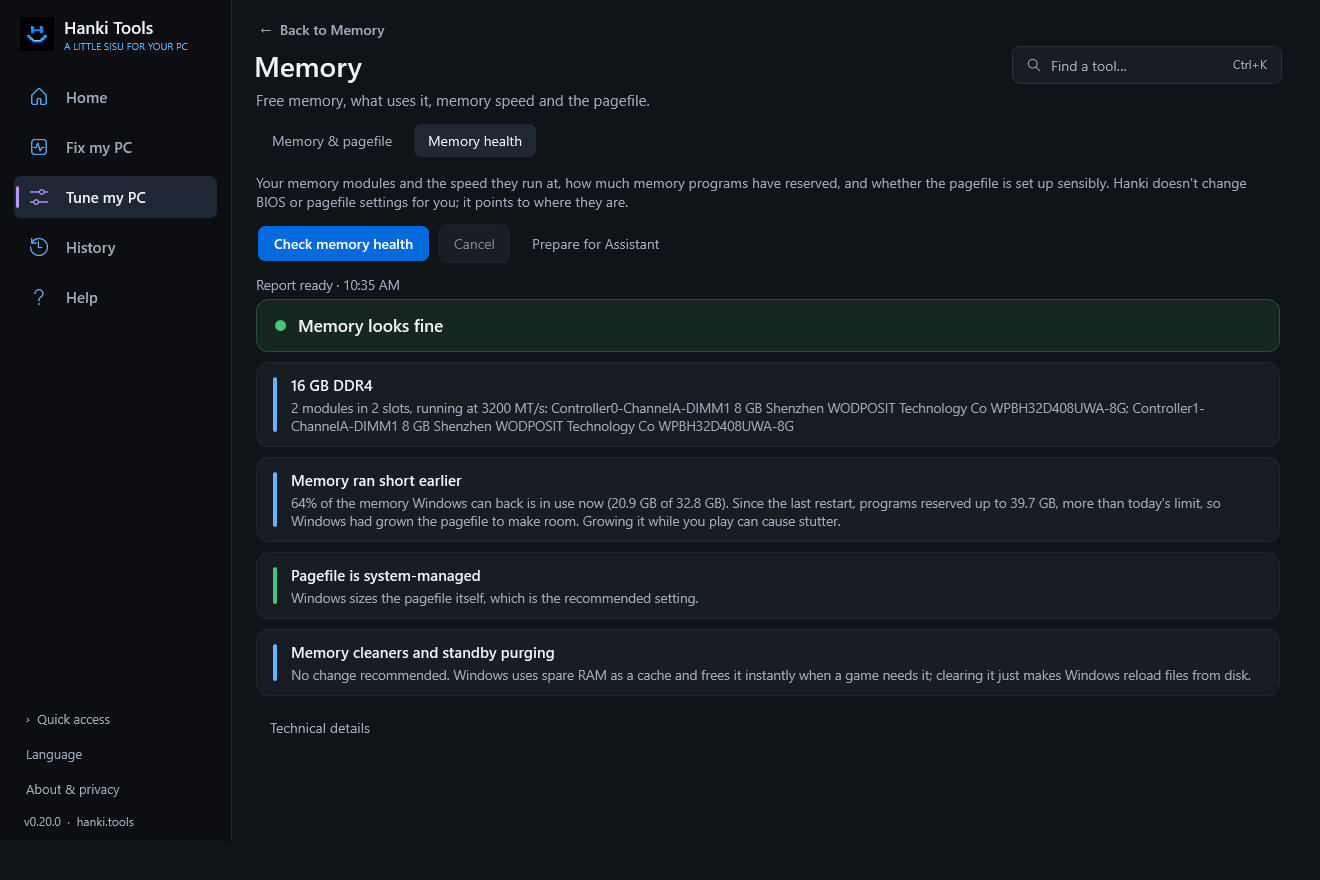
Memory & pagefile shows memory use and pagefile guidance. Memory health shows installed memory, speed against its rating, channels, commit headroom and pagefile health. Running below rated speed is a BIOS step (XMP or EXPO); Hanki gives guidance only. Hanki does not purge memory: memory cleaners don't help, and the page explains why.
Pagefile advice does not set a custom size or confirm crash-dump readiness; change pagefile settings in Windows.
Storage
- SSD or hard disk, drive by drive, and which games live on hard disks
- Free space, TRIM and the drive optimization schedule
- ReTrim for SSDs (administrator)
- DirectStorage readiness
Related
Updated · Found something out of date? Report it on GitHub.